The counter station
A touch screen the store learns in ten minutes.
No keyboard. Big buttons, a big number pad, a barcode scanner. It looks like the store's own device: a bouncing screen saver with the store's name, no computer screens at start-up. Here are its screens.
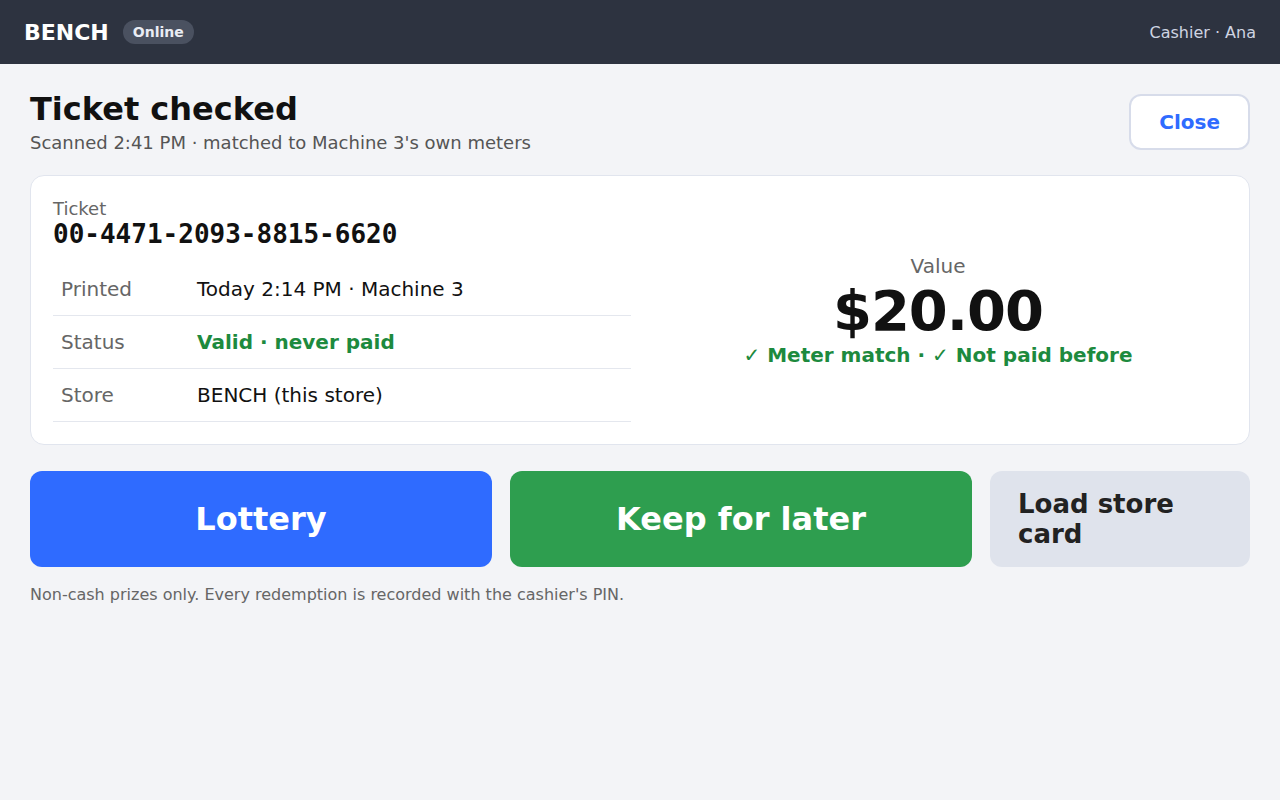
Scan
One second between the scan and the answer.
- Matched to the machine that printed it, against that machine's own meters, and to the store's ticket history.
- Refused if it is a copy, altered, from another store, or already paid. The refusal is recorded too.
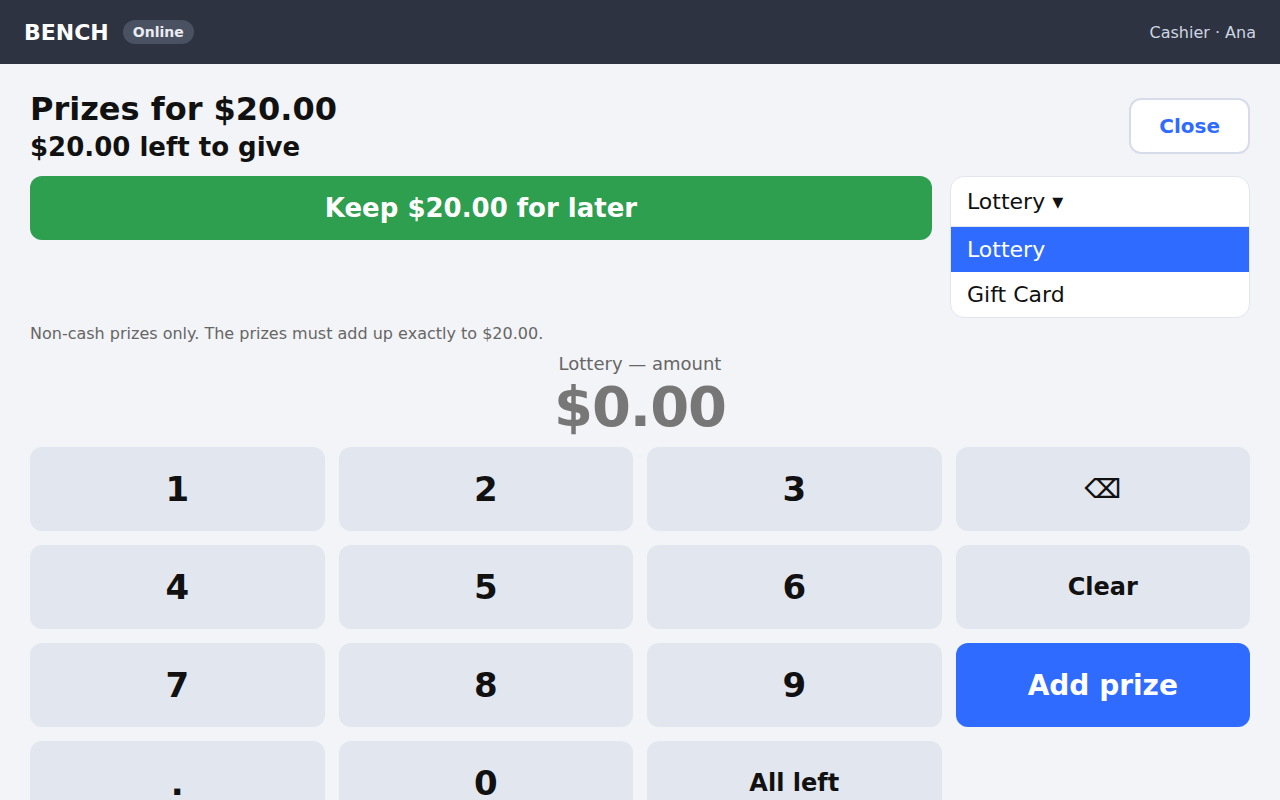
- Then three choices: Lottery or another prize, keep it all for later, or load a store card. Or no choice at all: the player puts it back in a machine.
- Fraud watch. If the machine that printed the ticket shows a suspicious cash-out pattern, the counter flags it so the cashier can take a closer look.
- Optional photo of the prize handed over, attached to the redemption.
Roles
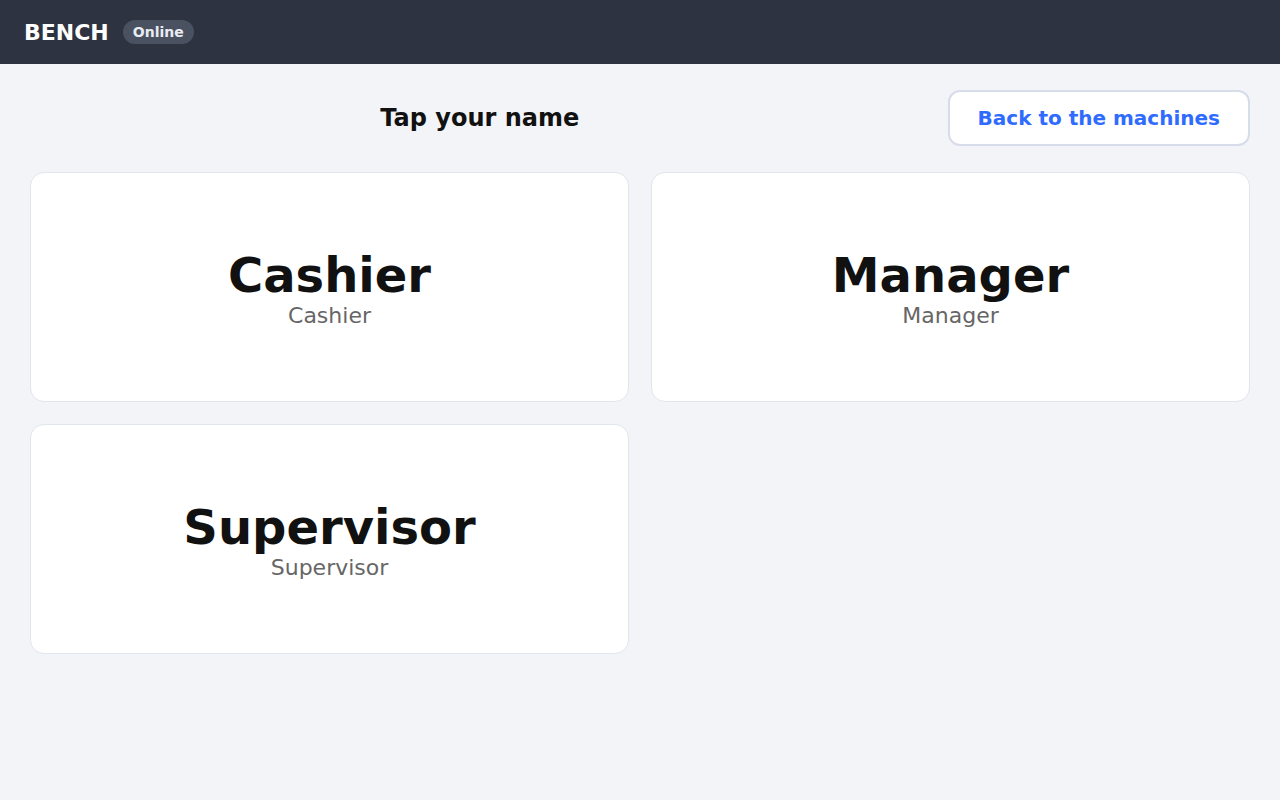
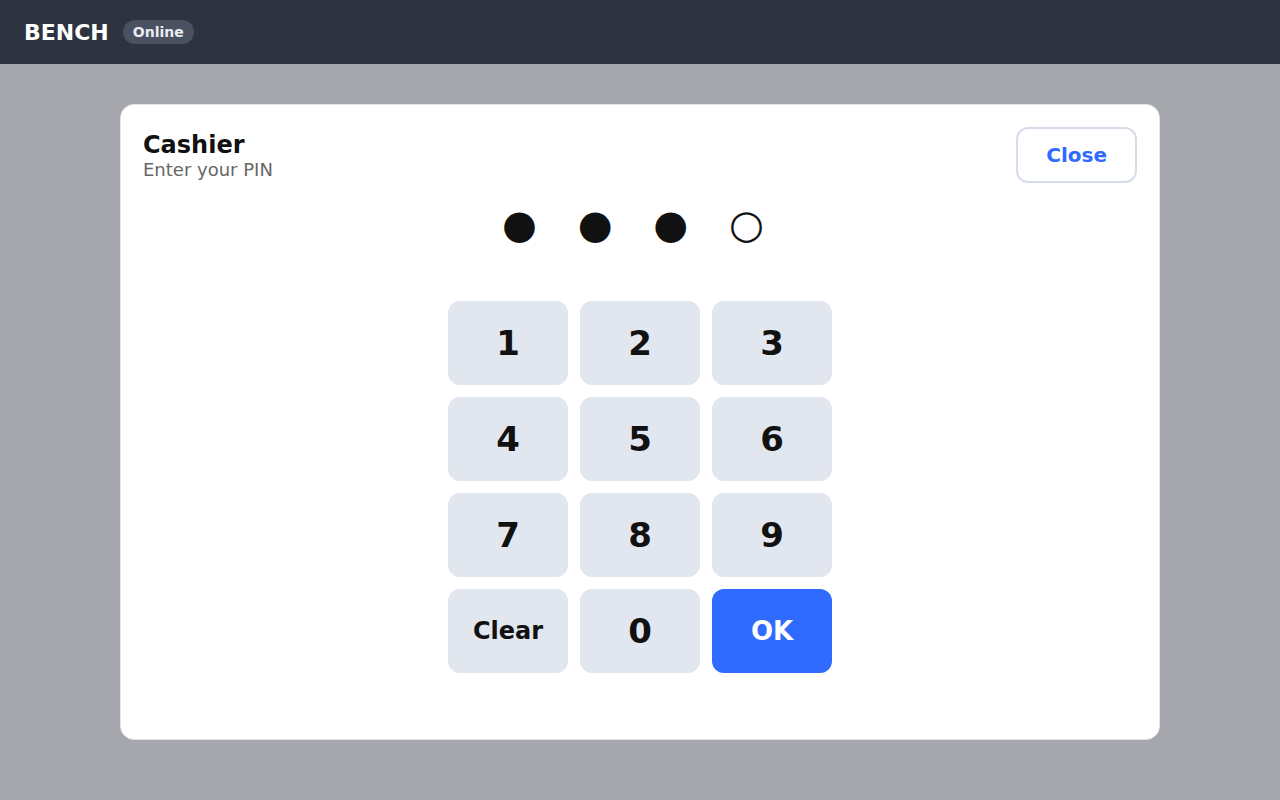
Three PINs, three jobs.
Every redemption, replacement and clear records who did it and when. Owners see it all in the portal.
Cashier
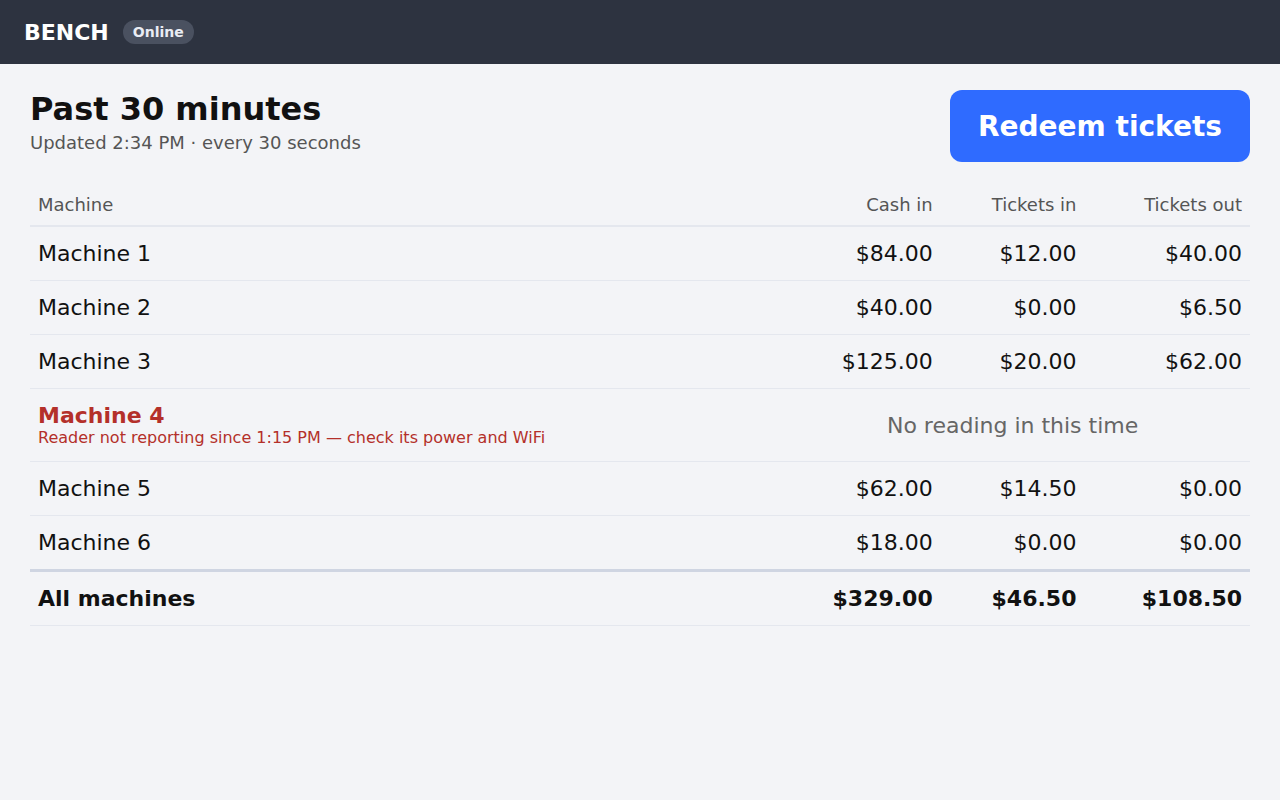
Scans and redeems tickets, loads store cards, prints or shows the remainder. Sees the last 30 minutes per machine, never the cash inside.
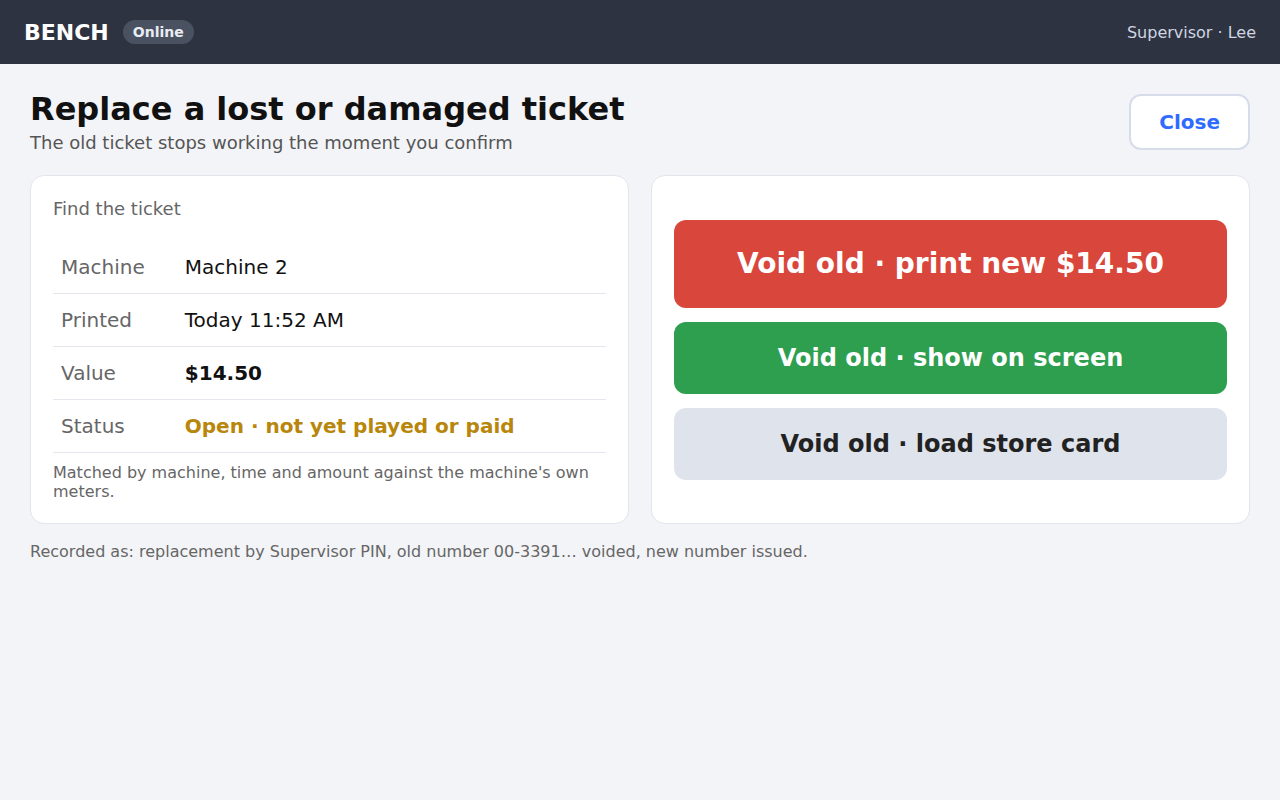
Supervisor
Everything a Cashier does, plus replacing a lost or damaged ticket. The old number stops working the same moment.
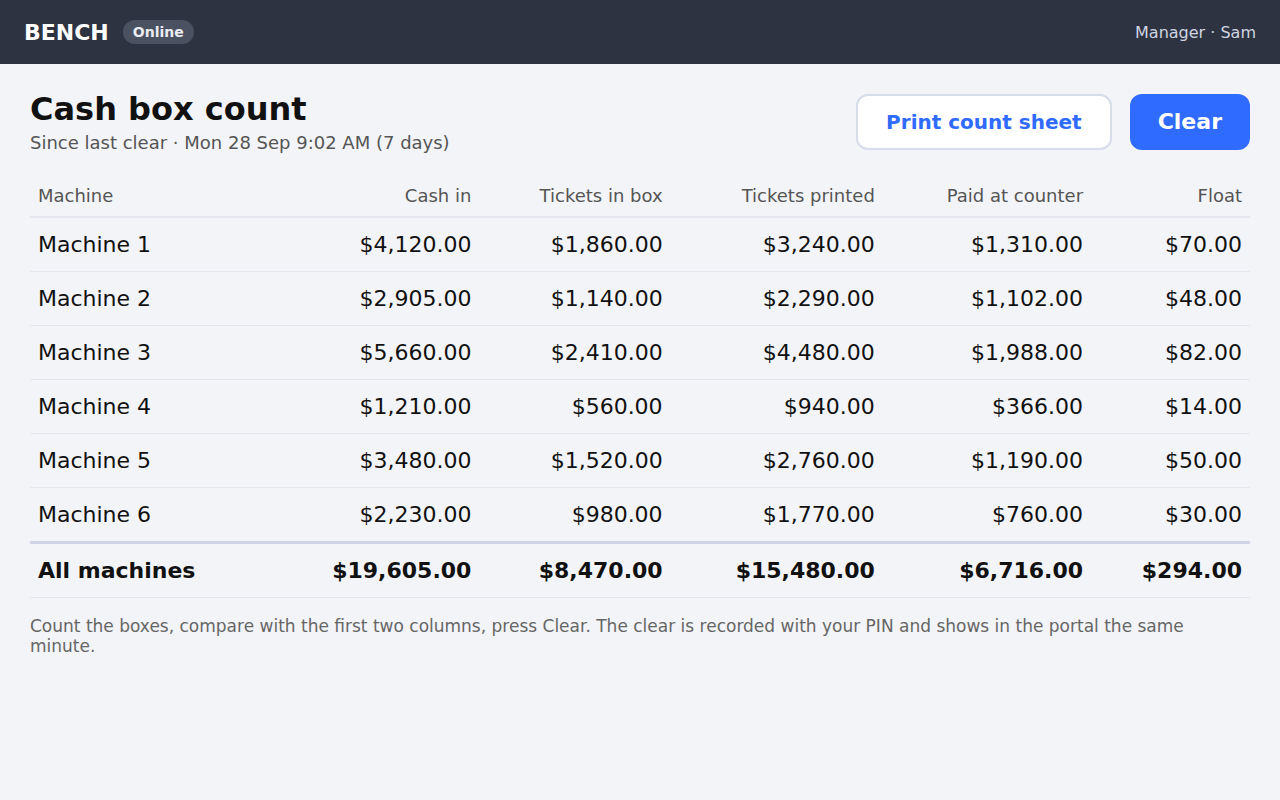
Manager
Cash box counts since the last clear, the store's settings, who has which PIN. Built for the manager who comes in once a week for banking.
Works offline
The counter and the machines keep going when the store's internet is down. Tickets are still checked locally; everything catches up with the cloud later.
Alerts on screen
When a machine's cash-outs look suspicious, or its reader stops reporting, the counter says so and says what to do.
Looks like the store's device
A bouncing screen saver with the store's name, no desktop, no pop-ups, no computer screens at start-up. Optional receipt printer, optional ticket printer.